360° Car Cameras: What to Check Before Choosing
The equipment and information shown by a 360° camera can vary by car. Here’s what to check in the manual and on the vehicle before choosing.
Key points
The label “360° camera” does not tell you which cameras, alerts or functions a car includes. Before buying, check the manual and the equipment fitted to the specific version.
What a 360° view represents
The “360° camera” label does not tell you how many cameras a particular car has or what other functions it includes. The documentation reviewed describes different configurations for different vehicles, so check the equipment fitted to the specific version.
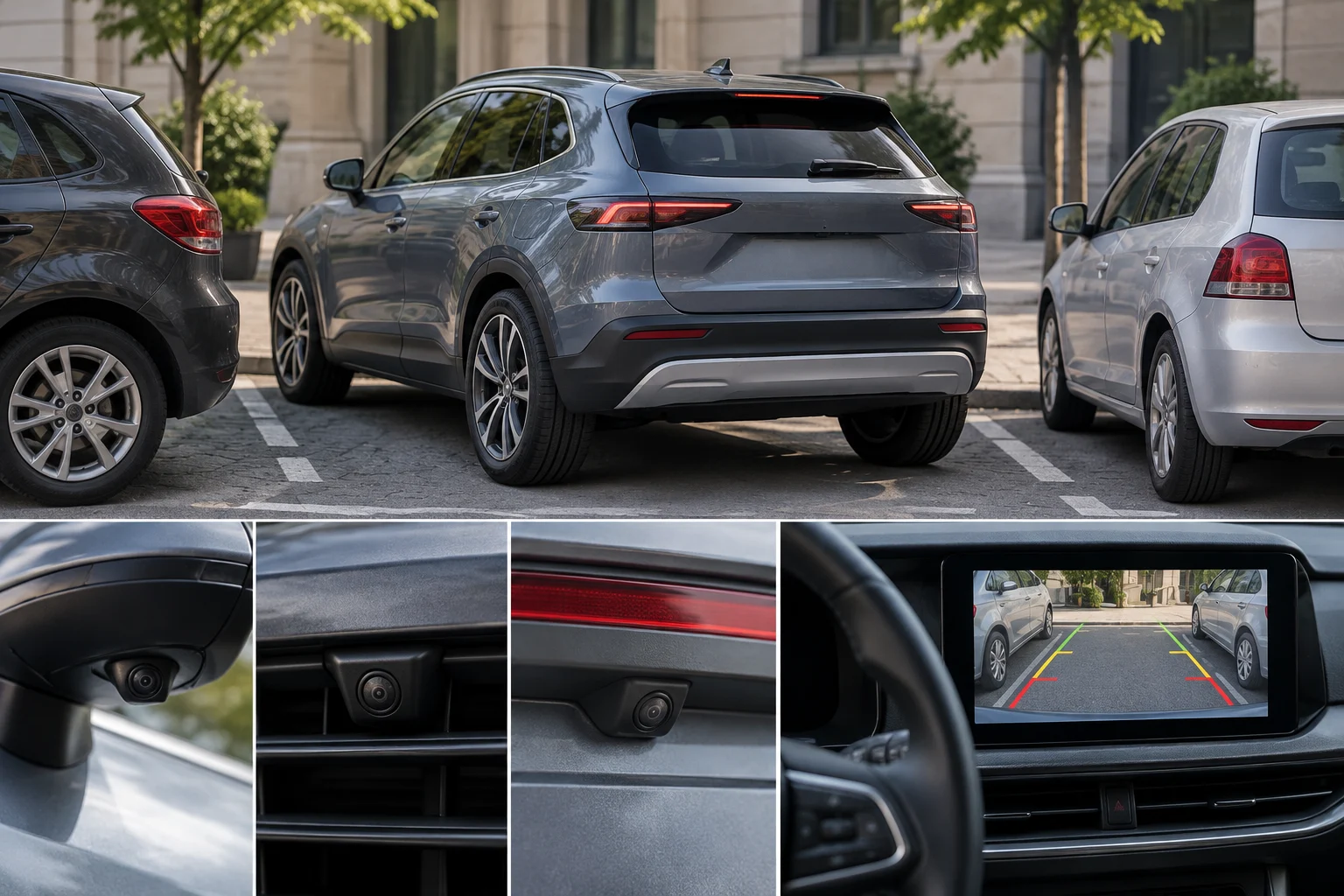
In general, images from several cameras can be processed and combined to create a virtual aerial view of the vehicle. The specific implementation depends on the car and should not be assumed to be the same across all systems.
The Renault 4 E-Tech Electric manual reviewed warns that the camera does not replace the driver’s vigilance or responsibility. Keep this warning in mind when using any visual aid.
Section references: Manual de usuario Renault 4 E-Tech Electric: cámara de 360° ↗ · Qué es la cámara de marcha atrás y 360 del coche ↗
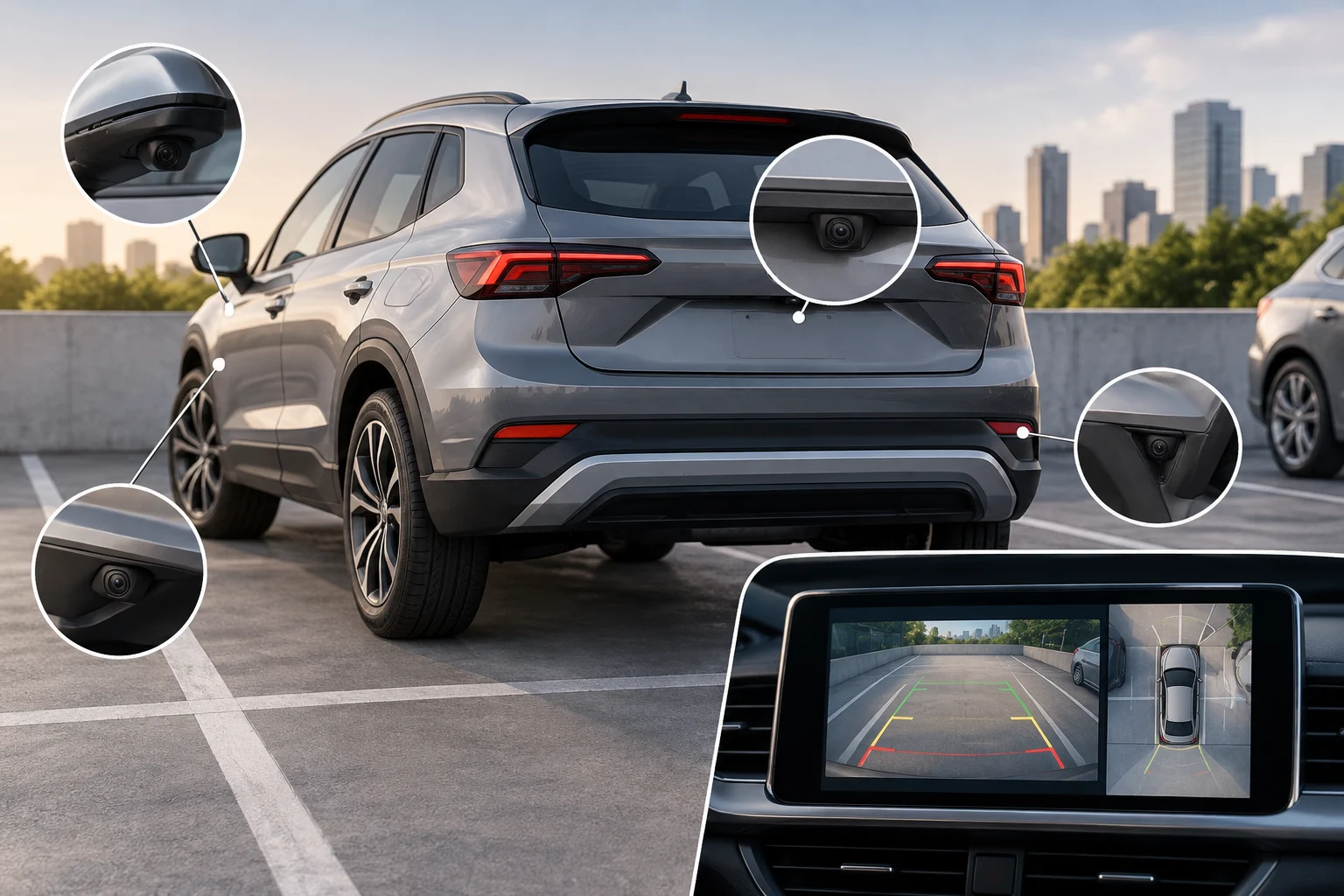
Cameras, sensors and alerts: what can vary
Cameras produce images; other components may be part of the parking aids. The Alpine manual reviewed lists cameras in several locations and ultrasonic detectors as components of its aid for difficult manoeuvres, such as parking. The Renault 4 E-Tech Electric manual describes proximity indicators in different colours and an audible warning for its parking aid; it does not explicitly identify these as 360° camera functions. These are features described for those specific vehicles, not a list of functions common to all cars.
When comparing two vehicles, distinguish what the image shows from what the alerts indicate: a list of cameras alone does not confirm which sensors or alerts the vehicle has.
| Manual reviewed | Cameras described | Other parking-aid components described (not attributed to the camera) |
|---|---|---|
| Alpine | In the front bumper, exterior mirrors and tailgate. | Ultrasonic detectors in the bumpers to help with difficult manoeuvres, such as parking. |
| Renault 4 E-Tech Electric | 360° camera system. | The parking aid may indicate obstacles using proximity indicators in different colours and an audible warning; the manual does not explicitly attribute these to the 360° camera. |
Section references: Manual de usuario Renault 4 E-Tech Electric: cámara de 360° ↗ · Manual de usuario Alpine: cámara de 360° ↗
- Confirm how many cameras the specific version has and where they are installed.
- Check which views and indications the system offers, and what its colours and sounds mean.
- Ask which components generate the image and which provide proximity alerts.
- Check the manual for recommendations on cleaning, visibility and possible limitations.
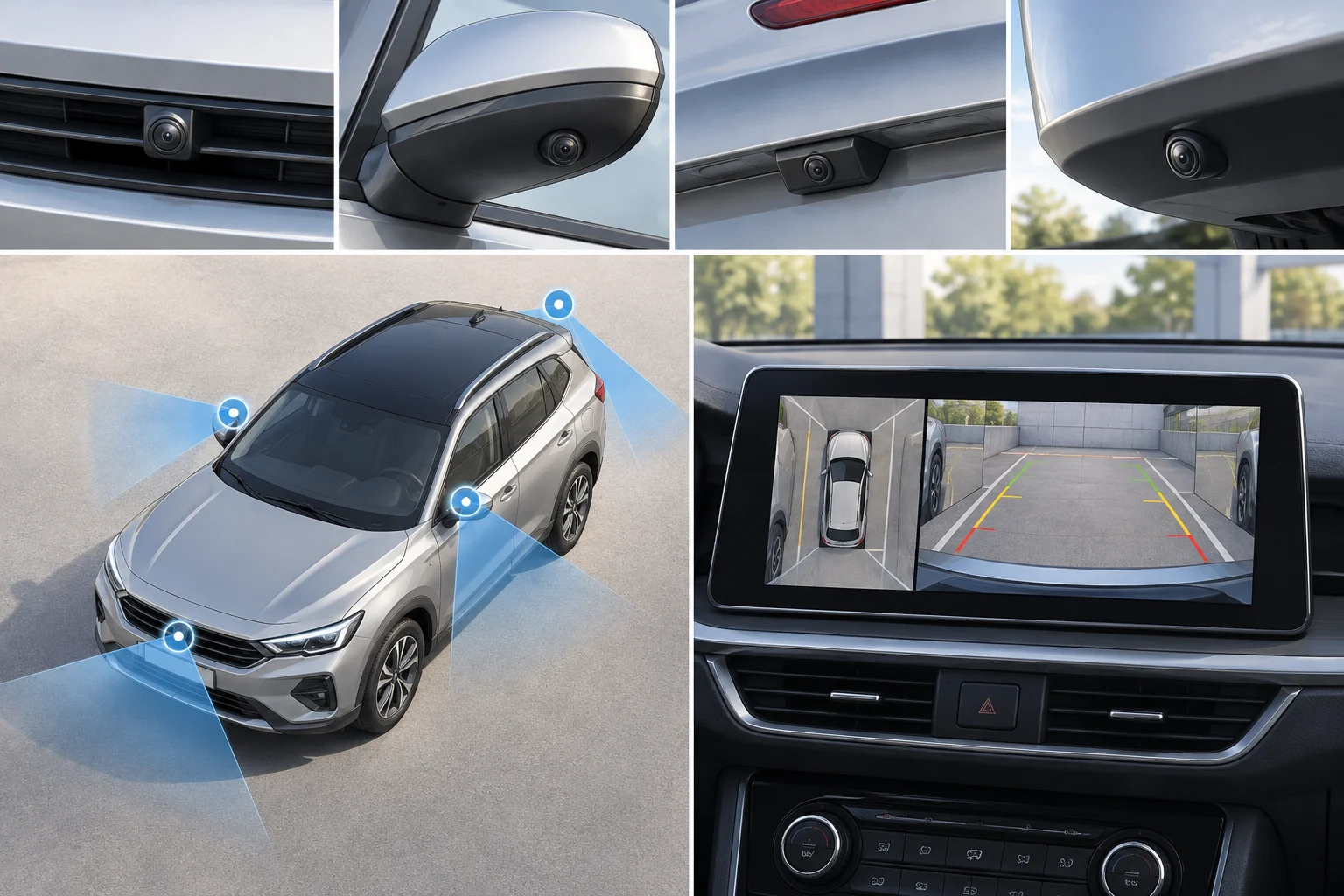
Obstacles, dirt and situations requiring extra attention
The Renault 4 E-Tech Electric manual says to watch for moving obstacles and objects that are too small or thin and may be in a blind spot; examples include children, animals, bicycles, stones and posts. This is a warning in that specific manual and does not establish how all systems behave.
The documentation reviewed does not support general conclusions about cleaning, visibility or image clarity. So if you are unsure what the display is showing or cannot clearly see an area, do not assume the view covers every obstacle: check around the car and consult the manual.
Section references: Manual de usuario Renault 4 E-Tech Electric: cámara de 360° ↗
- Before moving, look for people, animals, bicycles and low or narrow objects around the car.
- If an image or alert is unclear, stop the manoeuvre and check the manual’s recommendations.
What to check before buying and how to decide if it’s worthwhile
The marketing label is not enough to tell you what a particular version includes. Ask for the manual for the exact model, year and trim, and, if you are looking at a used car, confirm that the vehicle has the stated equipment.
How useful the system is depends on the functions included in the version and whether you find them clear. The Alpine manual reviewed describes cameras and ultrasonic detectors as aids for difficult manoeuvres, such as parking; this is a specific example, not a guarantee about other vehicles. To compare models, visit the Technology section and check the available cars.
A demonstration can help you check which views appear and which alerts accompany a manoeuvre, but it does not replace consulting the documentation.
When comparing vehicles, make a separate note of the cameras and locations confirmed by the manual, the views you can select and the alerts that appear. This lets you compare the vehicle’s equipment with the documentation without confusing a parking-aid alert with a camera function.
Section references: Manual de usuario Renault 4 E-Tech Electric: cámara de 360° ↗ · Manual de usuario Alpine: cámara de 360° ↗
- With the vehicle stationary in a safe place, ask for a demonstration of the available views and confirm which cameras and functions that specific vehicle has.
- Check the manual for activation conditions, the meaning of each alert and inspection recommendations; treat any undocumented function as unverified.
- During the demonstration, ask whether proximity alerts come from separate sensors or the camera; do not attribute alerts described in the manual as part of the parking aid to the imaging system.
- Consider how often you park in tight spaces and whether the system’s indications are clear to you.
Is a 360° camera the same as automatic parking?
The approved documentation does not establish a general equivalence. Check the equipment and manual for the specific version separately.
What is the difference between parking cameras and sensors?
The manuals reviewed describe these components separately: the Alpine manual lists cameras and ultrasonic detectors, while the Renault manual describes proximity indicators and an audible warning for the parking aid.
Is the 360° view an image taken from above?
The available documentation does not confirm how this view is generated. How it works depends on the version.